Stripboard · Intermediate
Bias and build a two-transistor fuzz on stripboard
Explore a two-transistor fuzz, compare drive levels, and follow a stripboard layout with three essential copper cuts.
The app opens the current example chooser. Choose Open to create your own account copy. This guide documents v4; the project download retains that reviewed version.
A directly coupled transistor pair creates the fuzz; three track cuts make its stripboard layout work. Inspect bias and driven waveforms, then follow the component placement, insulated links and copper cuts.
| Ref | Part |
|---|---|
| Q1, Q2 | 2N3904 NPN transistors |
| R1 | 100 kΩ · feedback, Q2 emitter → Q1 base |
| R2 | 33 kΩ · Q1 collector load |
| R3 | 1.3 kΩ · Q2 emitter — v1 used 470 Ω; use 1.3 kΩ |
| R4 | 8.2 kΩ · Q2 collector load |
| C1, C2 | 100 nF · input and output coupling |
| C3 | 100 µF · supply filter, positive toward 9 V |
| RV1 | A100K · level control |
| J1–J3 | Input and output audio jacks, centre-negative DC jack |
The circuit
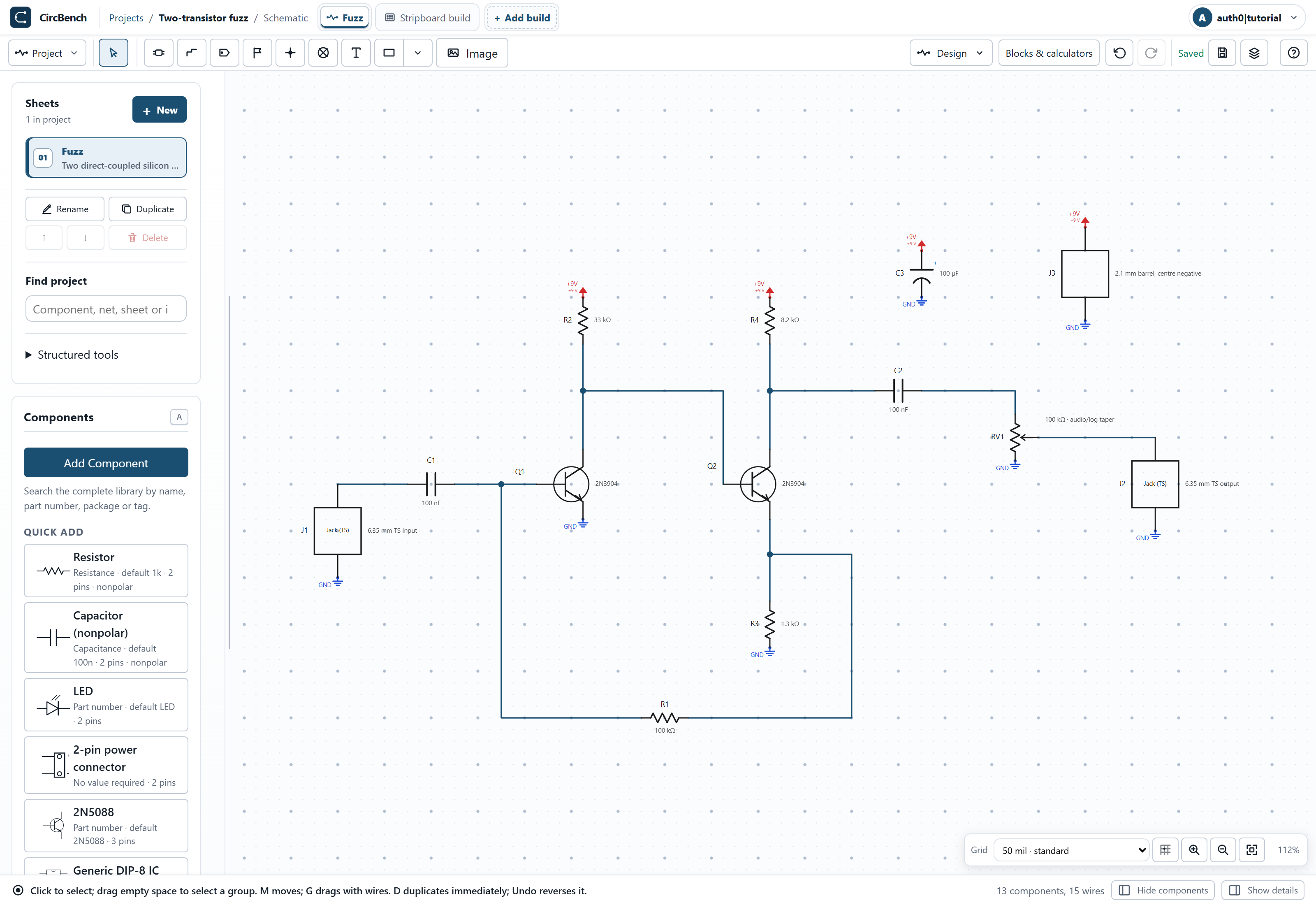
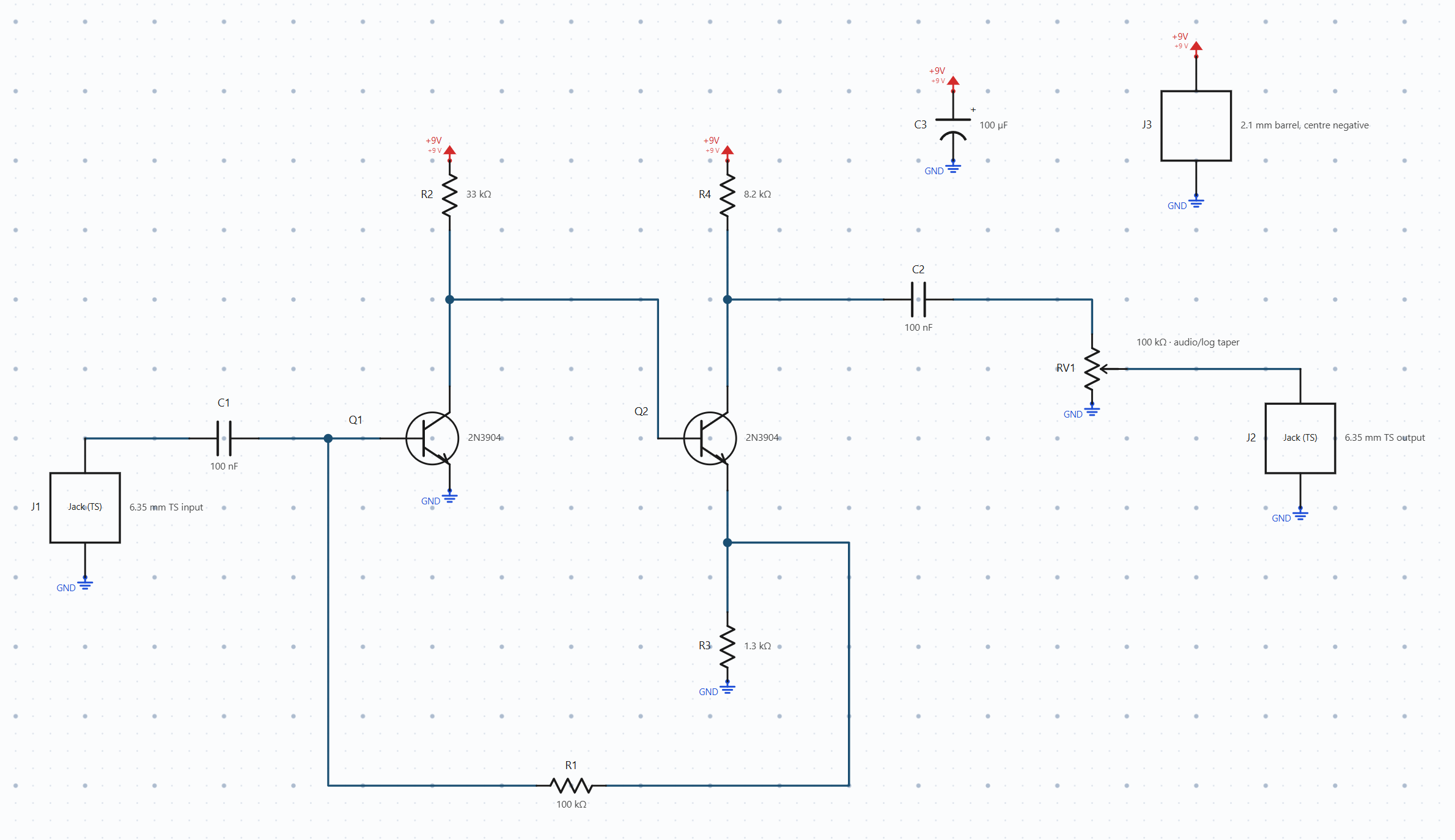
Q1 and Q2 are directly coupled: Q1 collector feeds Q2 base, carrying both bias and signal. Their emitter nets are separate. R1 (100 kΩ) feeds Q2 emitter back to Q1 base; R2 (33 kΩ), R3 (1.3 kΩ) and R4 (8.2 kΩ) establish the remaining bias paths.
C1 and C2 (100 nF) couple input and output, the A100K pot sets output level, and C3 (100 µF) filters 9 V with its positive terminal toward supply.
What the simulation shows
Open Simulate from the schematic and run DC operating point with the reviewed settings below. Choose Waveform to inspect the time-domain response.
- 9 V supply
- 1 kΩ source
- 1 MΩ load
- level 100 %
- 25 °C
- reviewed 2N3904 models
Q2 collector ≈ 4.38 V
Within the reviewed 4–5 V range. Q1 collector/Q2 base and both emitter voltages are coupled, so changing R3 or joining the emitters changes the operating point.
A 100 mV-peak, 1 kHz input produces a larger, asymmetric output. Then, from the bench picker, choose Guided setup, change Transient peak amplitude (V or A) to 5 mV, save the setup, and run Waveform again.
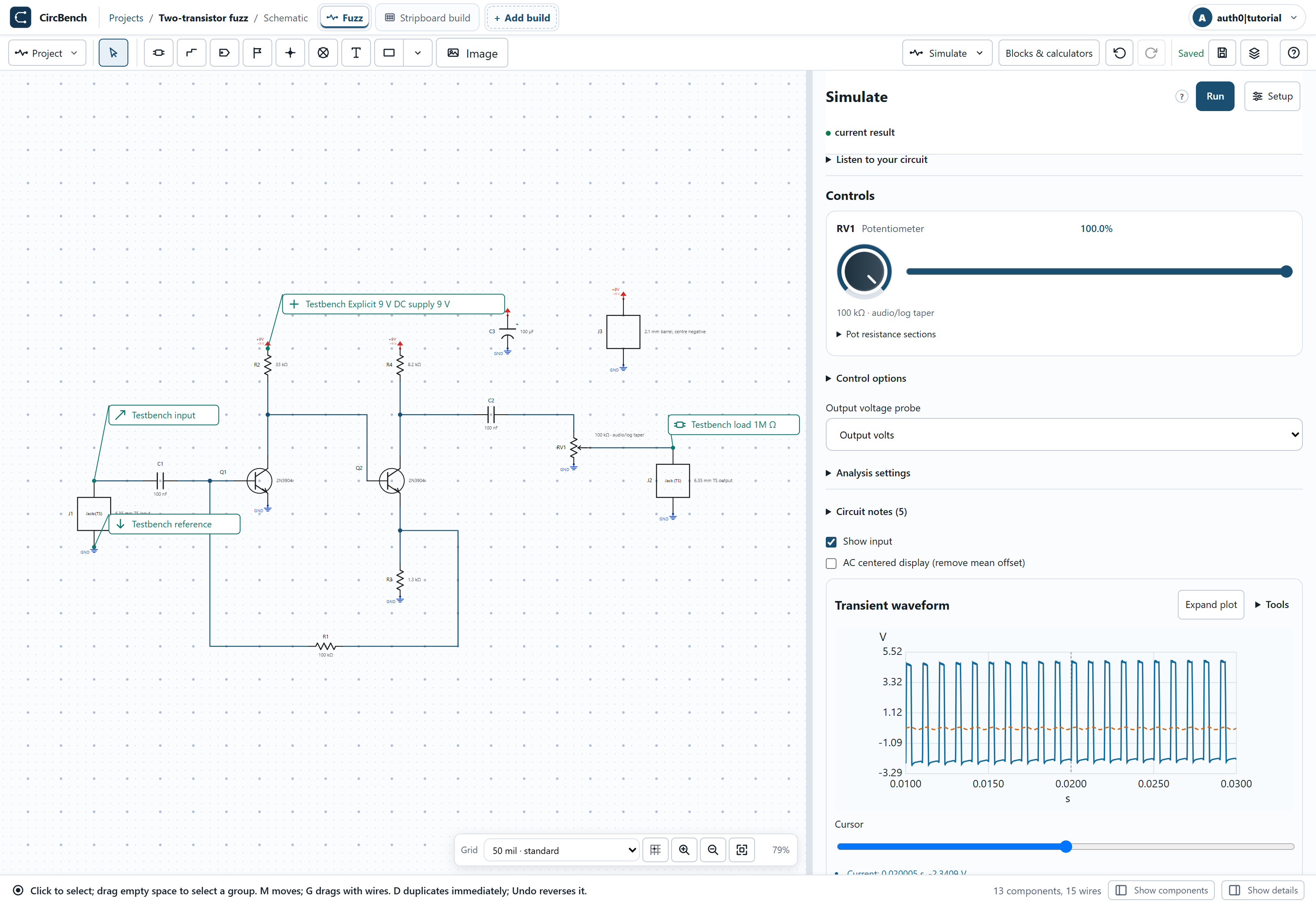
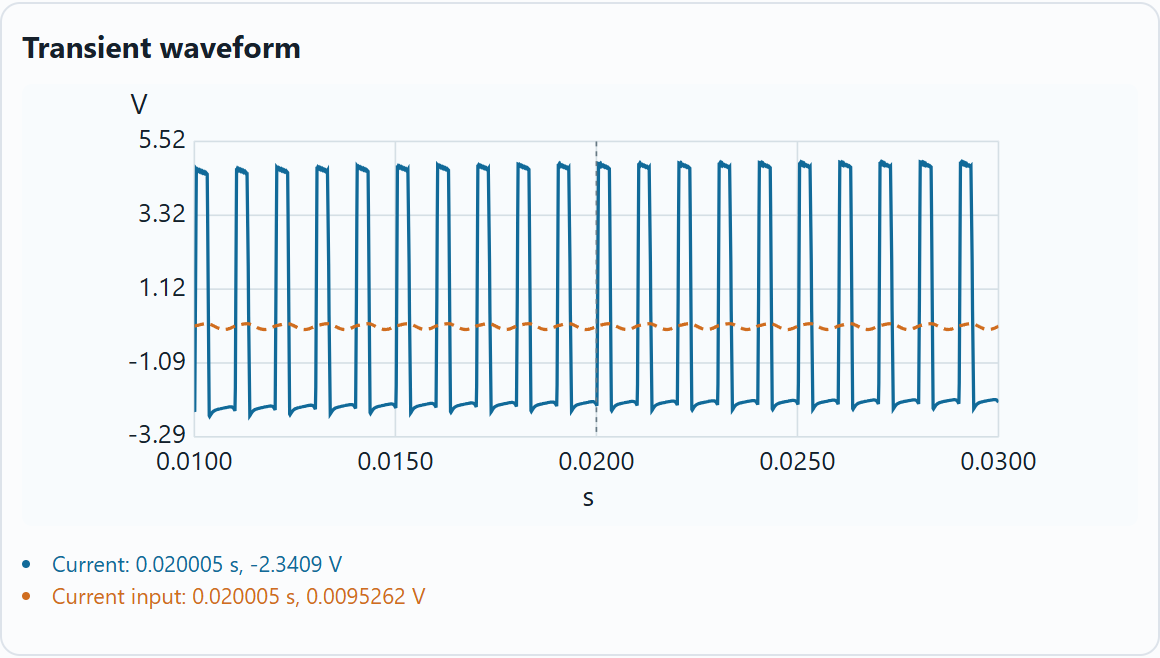
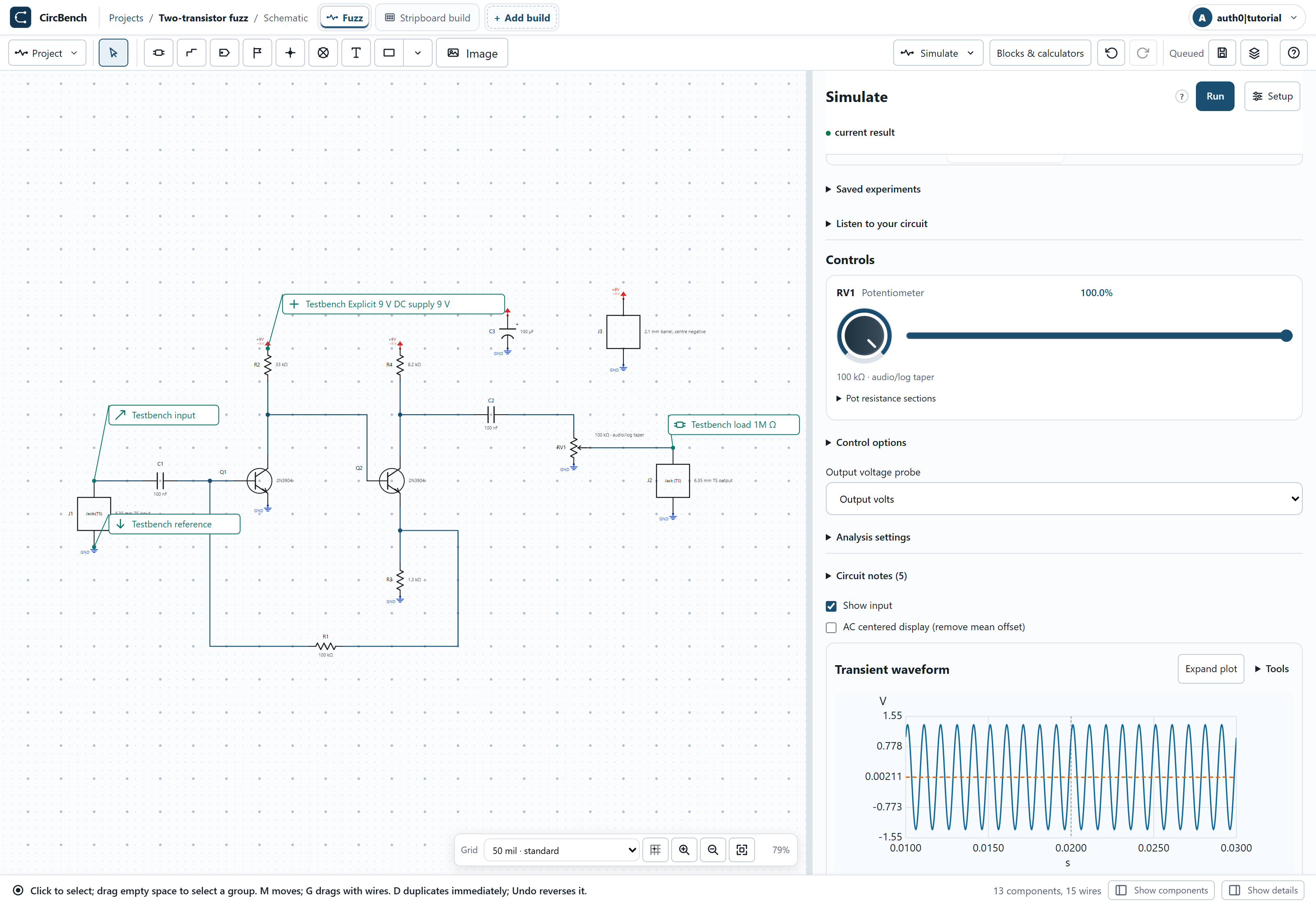
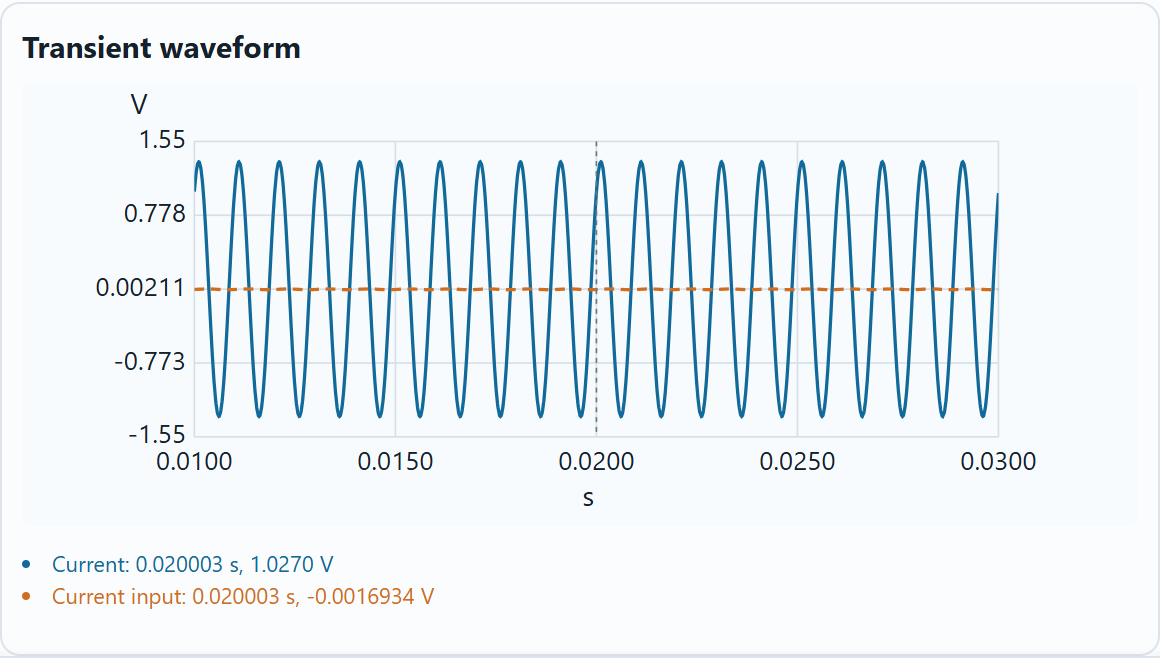
Supply, load and level are unchanged between the two runs. Compare settled cycles rather than a cursor sample; small-signal AC gain alone cannot describe the driven fuzz waveform. This is a nominal modeled response, not a hardware recording.
The board build
Switch to Build and choose the example’s existing build. The 12 × 10 stripboard has vertical copper strips: each column starts connected; neighbouring columns are separate. Use the face switch to change sides; Layers focuses the editor on the work at hand, and hiding items changes the view, not the circuit.
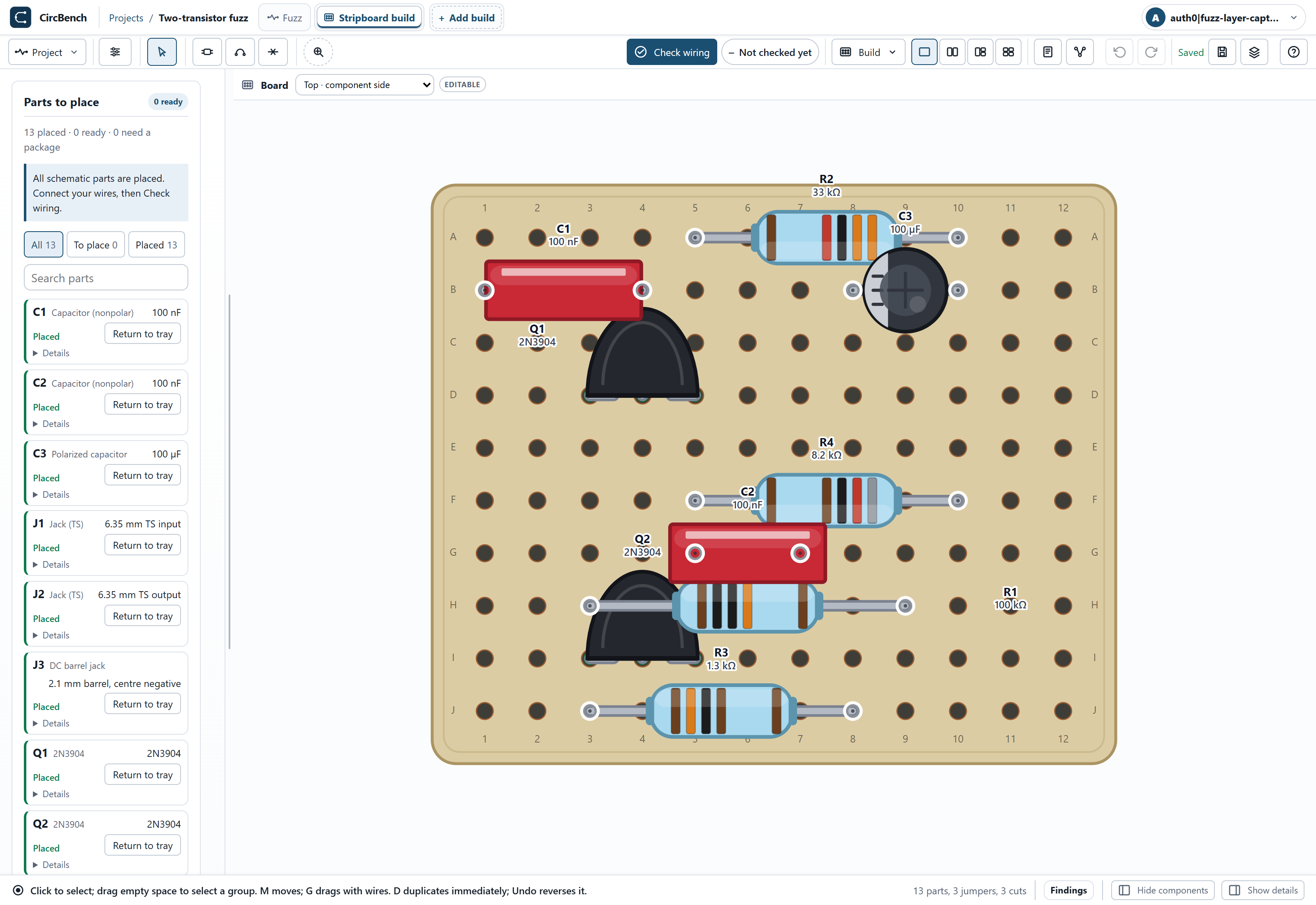
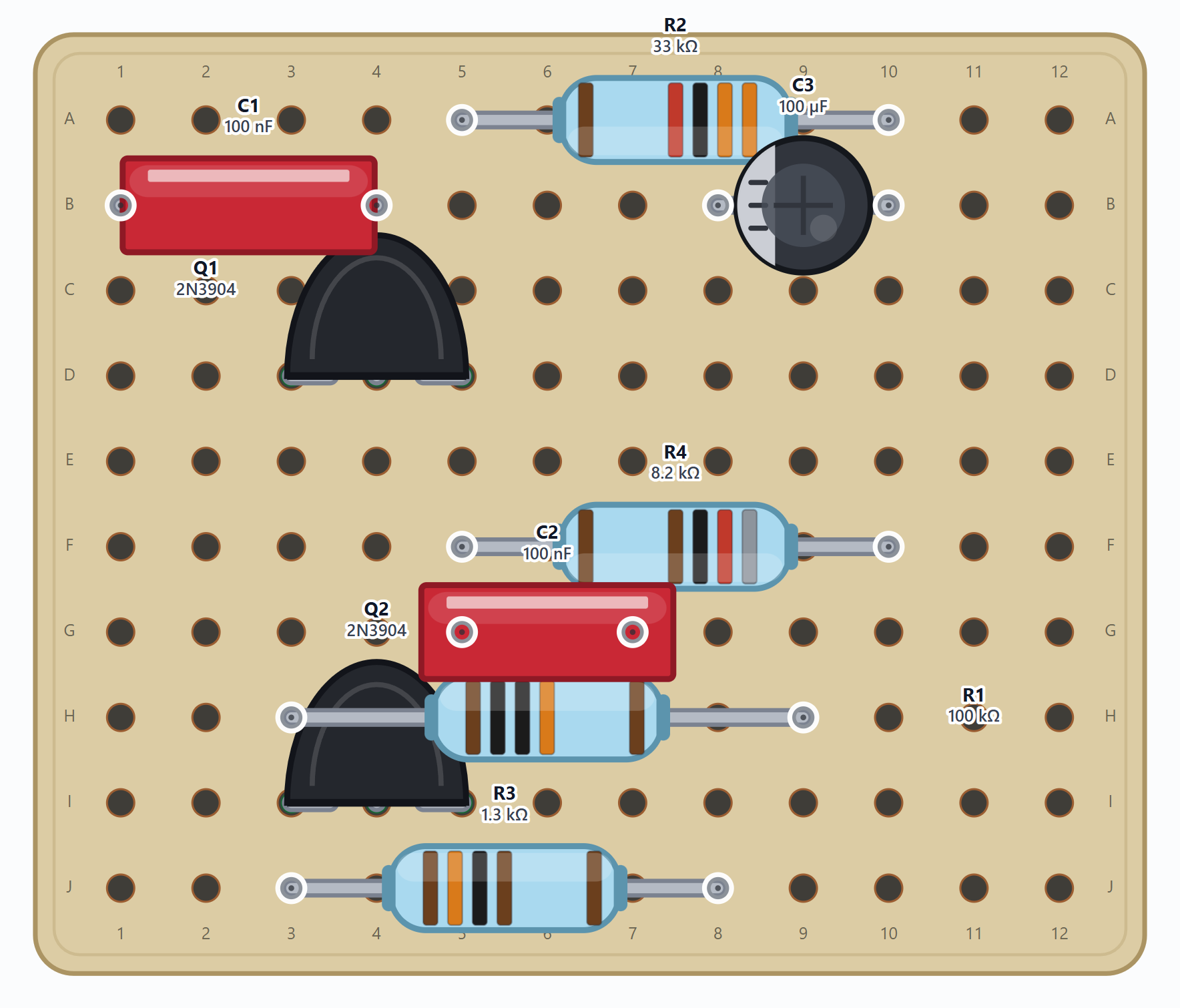
Choose Top · components to place the components. Q1 E/B/C attach to D3/D4/D5, Q2 to I3/I4/I5. The insulated links are E5–F4, C4–C9 and E3–E8. Keep the two emitter regions separate and verify the electrolytic polarity.
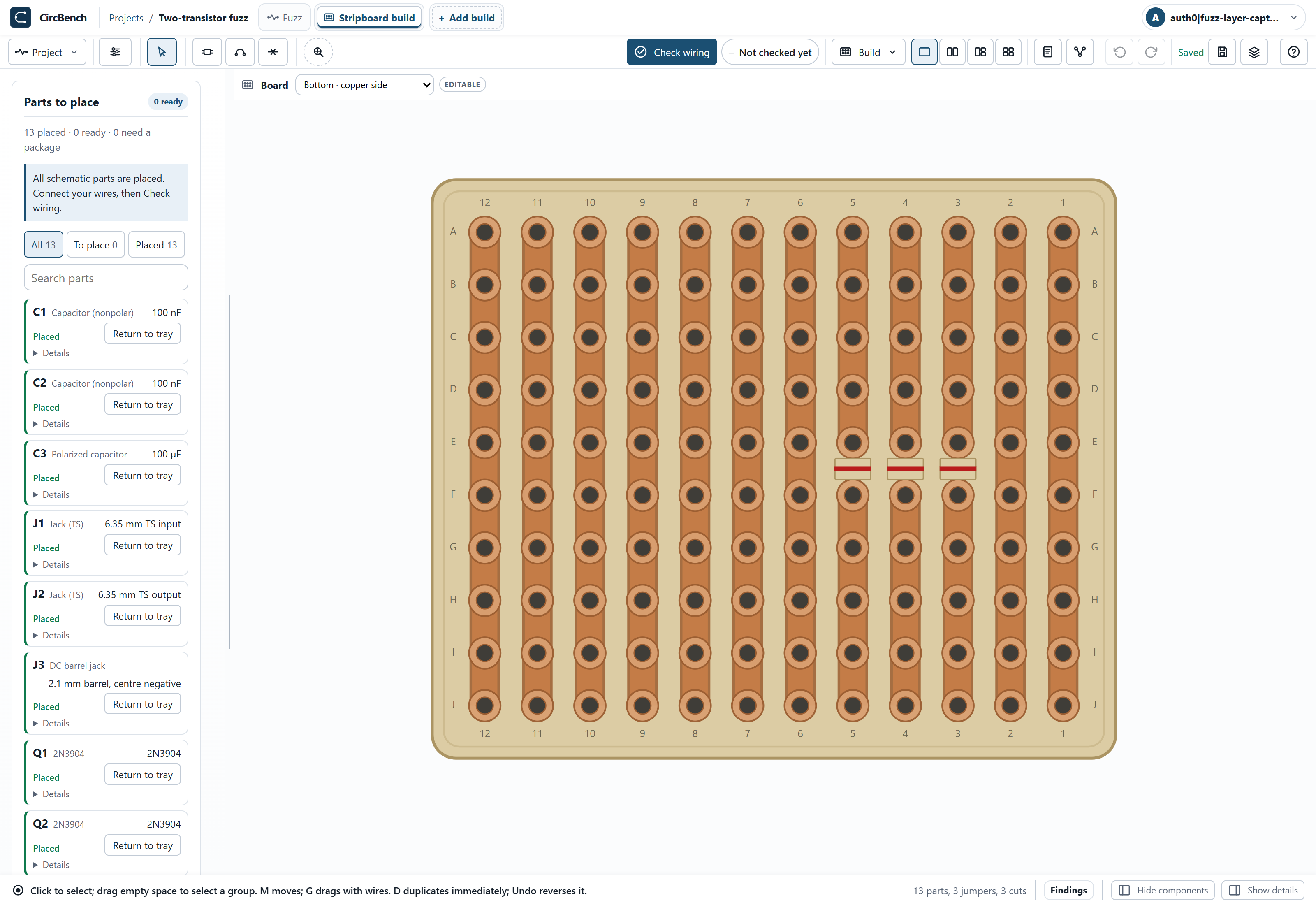
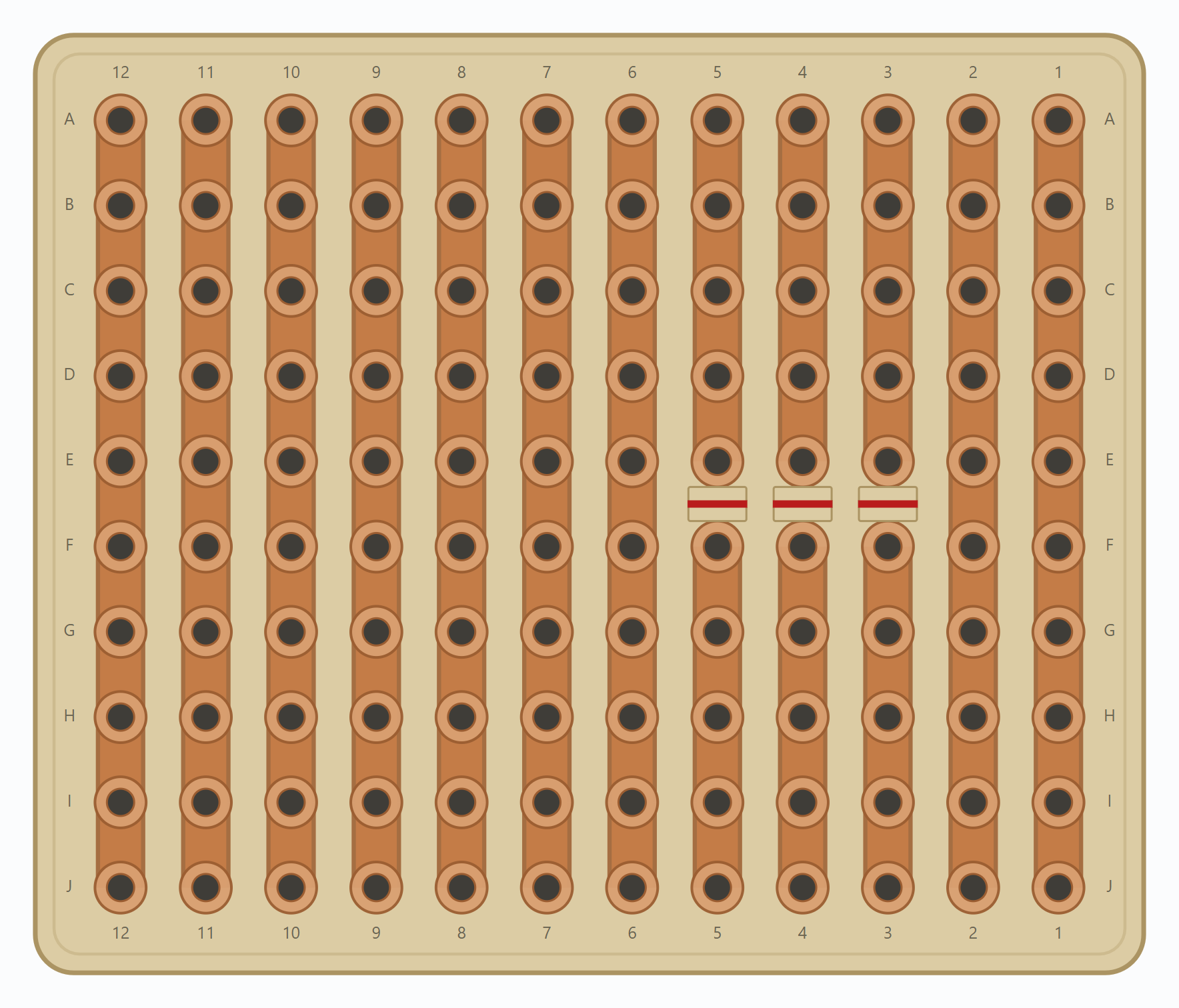
Choose Bottom · copper to inspect Copper and Copper cuts. Three cuts divide the strips between E3–F3, E4–F4 and E5–F5. These are between-hole cuts, not removed holes. The copper face mirrors the component face; follow contact labels rather than screen position.
Panel wiring
Return to Top · components and zoom out to include the jacks and controls beside the board. In the editor, enable Jumper wires to follow the board links; panel leads are drawn with their external components.
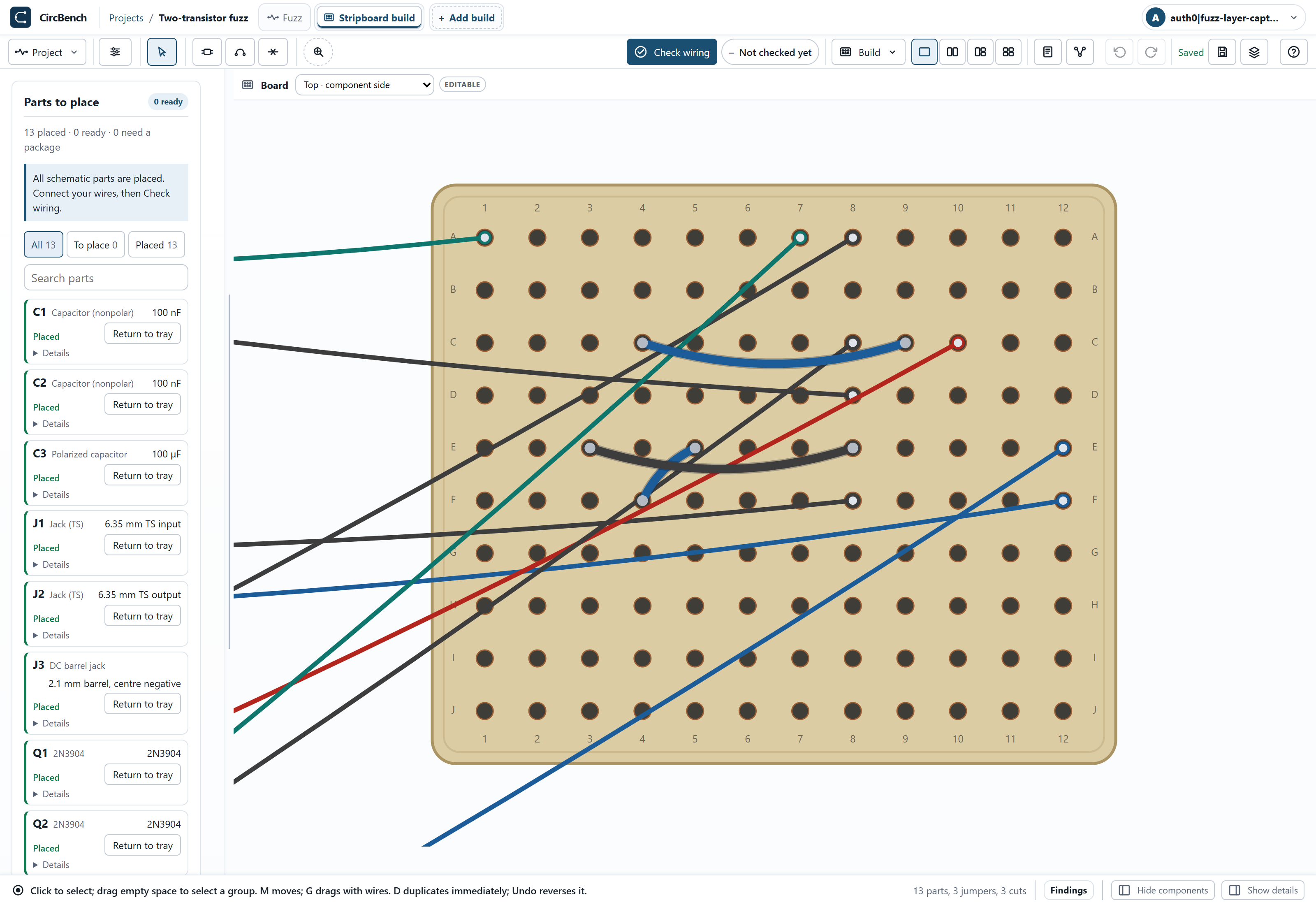
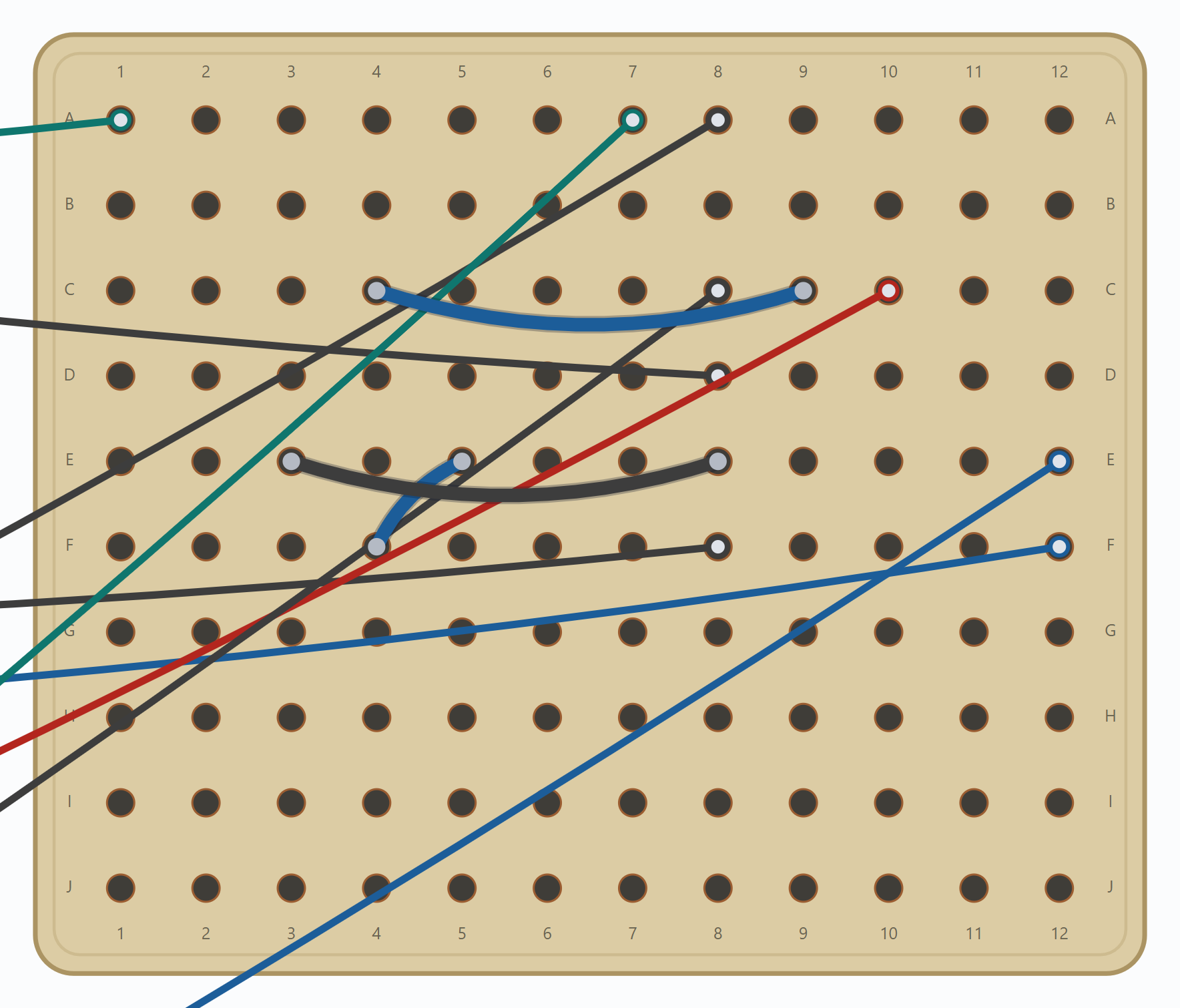
The harness uses four colours:
- BlackGround
- Red+9 V
- GreenSignal into the circuit or level control
- BlueOutput
J1 input tip goes to A1; J2 output tip goes to F12. Their sleeves return to D8/F8. RV1 terminal 3 goes to A7, wiper W to E12 and terminal 1 to C8.
The DC jack sleeve is positive
The center-negative DC jack J3 has its centre C connected to ground at A8 (black) and outer sleeve S to +9 V at C10 (red). An audio jack sleeve is ground; this DC jack’s sleeve is positive. Follow the terminal labels and exact contacts, not colour alone.
Exact connection schedule
Every fitted part and panel connection, logical terminal to board contact. Hole labels keep their identity on either board face.
| Part | Terminal → contact |
|---|---|
| Q1 | E → D3 · B → D4 · C → D5 |
| Q2 | E → I3 · B → I4 · C → I5 |
| C1 | 1 → B1 · 2 → B4 |
| R2 | 1 → A10 · 2 → A5 |
| R4 | 1 → F10 · 2 → F5 |
| R3 | 1 → J3 · 2 → J8 |
| R1 | 1 → H3 · 2 → H9 |
| C2 | 1 → G5 · 2 → G7 |
| C3 | + → B10 · - → B8 |
| J1 | T → A1 · S → D8 |
| J2 | T → F12 · S → F8 |
| J3 | S → C10 · C → A8 |
| RV1 | 1 → C8 · 3 → A7 · W → E12 |
Check your copy
Run Check wiring after any board edit and wait for a fresh result. It compares the board’s actual connections with the schematic; visual alignment alone does not connect parts. Reveal any open or short and inspect its endpoints.
Limits and sources
This is a CircBench-authored nominal silicon fuzz lesson, not a measured vintage pedal clone. Device spread, component tolerances, noise, ratings, temperature effects and physical construction quality require separate evaluation. A wiring match only compares the represented connectivity.
CircBench authors the schematic, v2 bias revision and independent vertical-strip layout. The versioned project and parts list above preserve the exact 1.3 kΩ R3 circuit used in these screenshots.
Keep exploring
In Simulate, compare the two input amplitudes above while keeping supply, load and output level fixed. Notice how the waveform changes even though the board connections stay the same.